
GigspendGig Expense Tracker
Gigspend is the expense and odometer-based mileage tracker built for DoorDash, Uber, Instacart, Lyft, Spark, Shipt, TaskRabbit, and more. Keep every vehicle and expense organized, search your records in plain English, and export when tax time arrives. $4.99 once. No subscription. Ever.
Scan receipts and maintain separate running mileage logs for every vehicle.
$4.99 once. No subscription quietly eating into your gig income, ever.
Search receipts and mileage in plain English. Search stays private on your device.
Reconcile before you file, so your accountant gets a clean, duplicate-free report.
Many gig expense apps rely on continuous GPS tracking or recurring subscriptions. Gigspend keeps it simpler: organize your receipts, maintain a manual mileage log, and review your records before tax time.
It's the work you do before meeting your CPA: understanding where your money went, totaling your logged mileage, and getting your records organized.
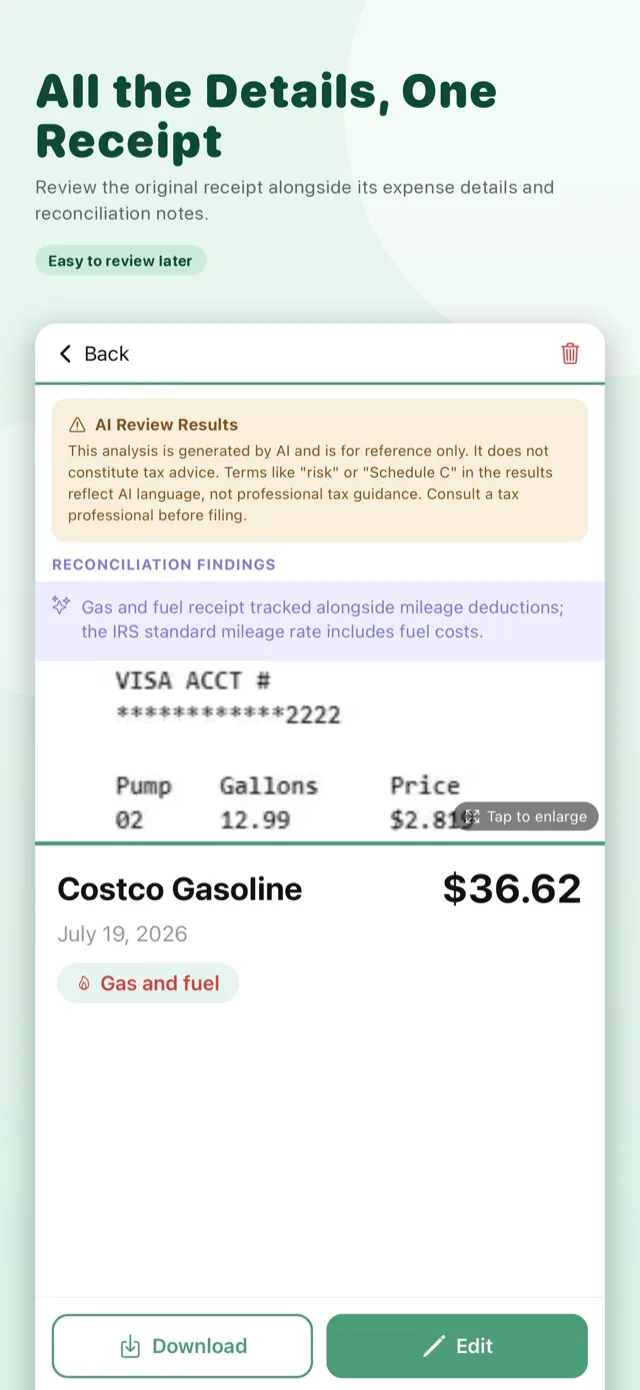
When you want an additional check, use 2 AI credits to reconcile up to 300 receipts and review your mileage log for possible duplicates, inconsistencies, and items that may need your attention.
Gigspend helps turn scattered records into organized information, so your CPA can spend less time sorting paperwork and more time reviewing your situation and giving advice.
Looking specifically for an expense tracker without a monthly fee? See how Gigspend's one-time core unlock works, what the free tier includes, and when a subscription tracker may be a better fit on our no-subscription expense tracker guide.
Gigspend provides recordkeeping and organizational tools—not tax or accounting advice. AI Reconciliation results are for reference only. Expense categories are suggestions, and deductibility depends on your individual circumstances. Consult a qualified tax professional.
From receipts and mileage to an organized export.
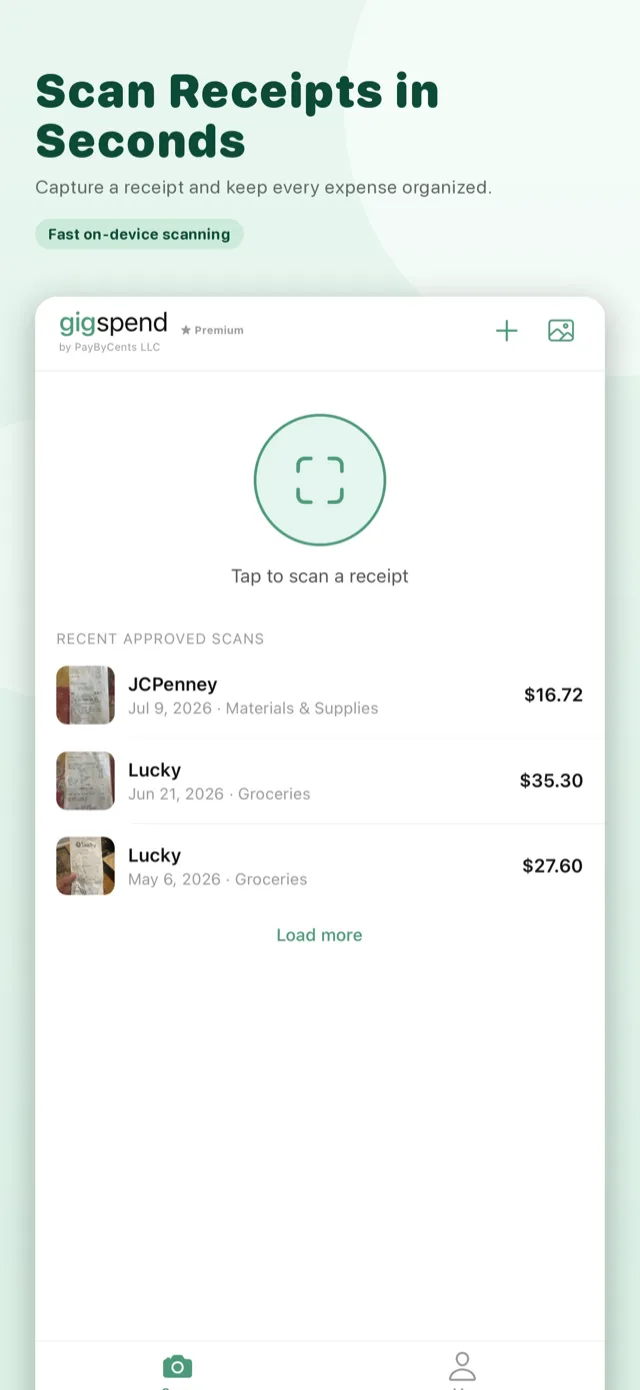
Point your camera at any receipt. Gigspend captures merchant, date, total, and category in seconds.
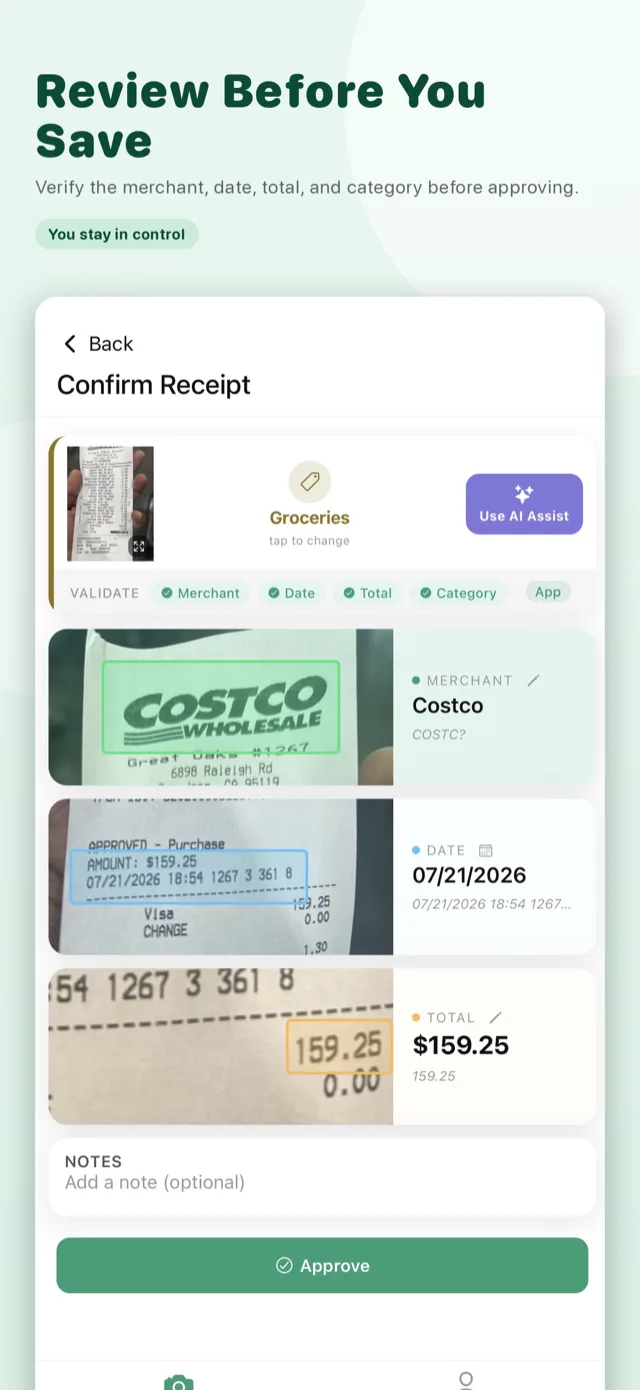
Check the merchant, date, total, and category against the photo, then tap Approve. You're always in control.
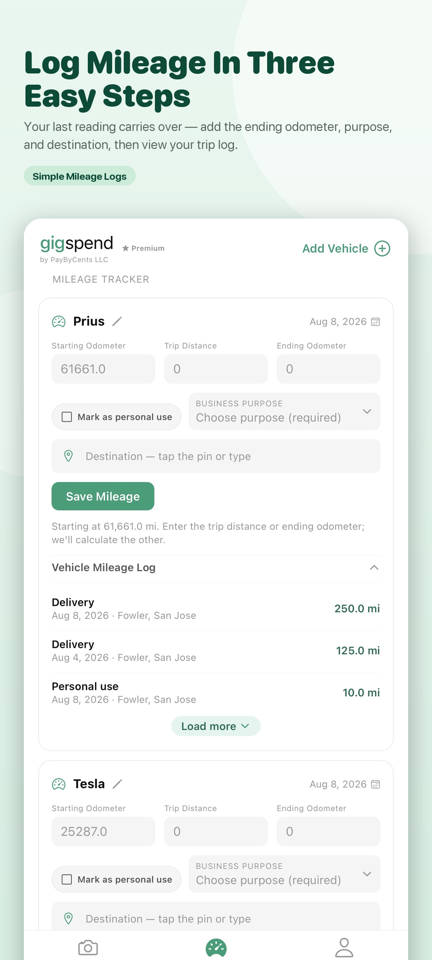
Your latest odometer reading carries forward. Add the ending reading, business purpose, and optional destination.
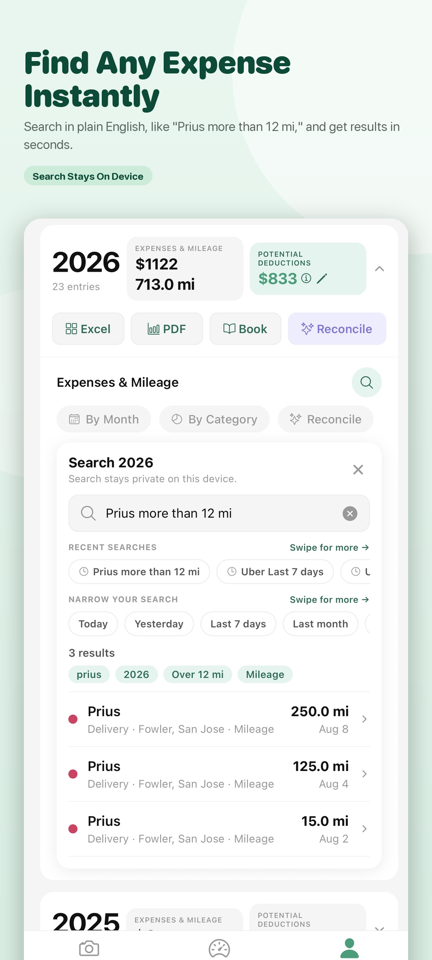
Find receipts or mileage with searches such as “Prius more than 12 mi.” Search runs locally on your device.
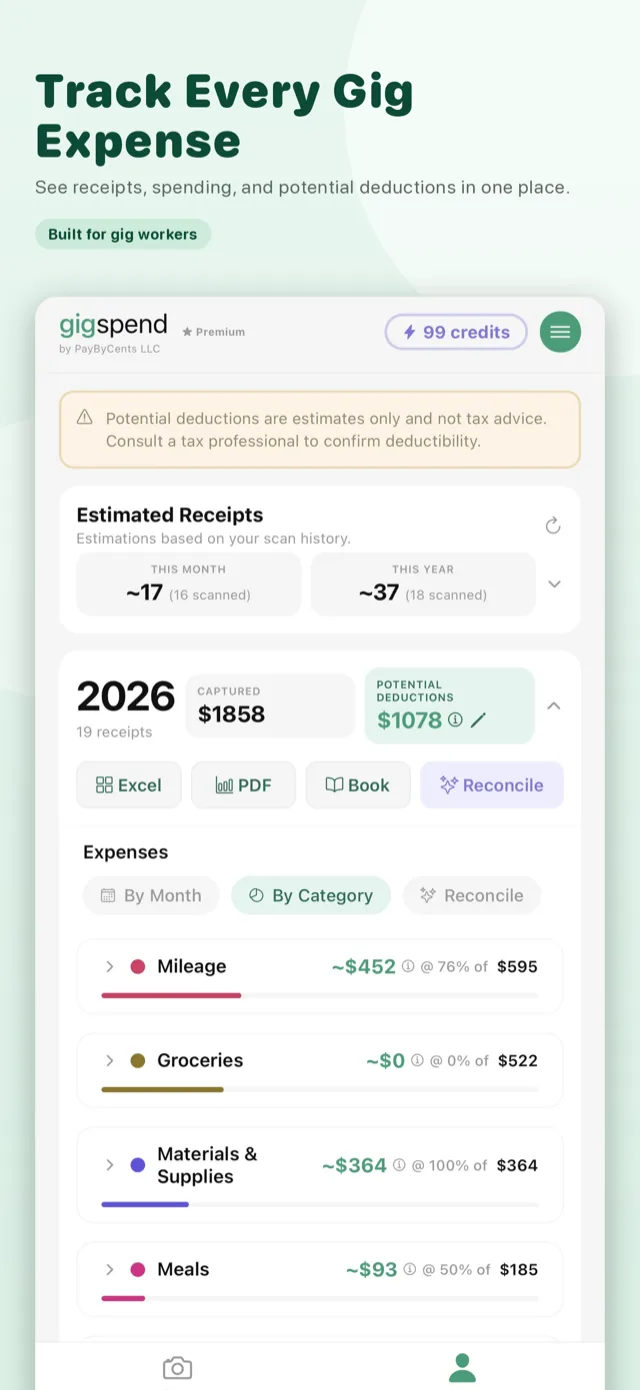
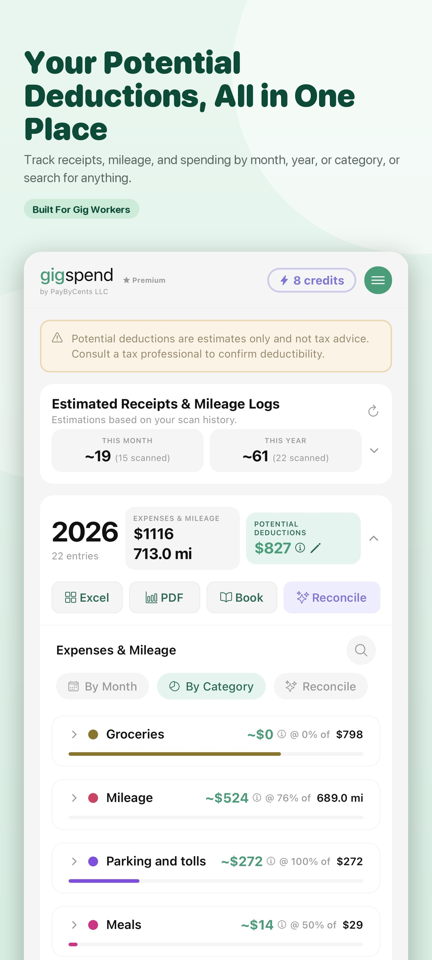
The dashboard summarizes receipts, mileage, spending, categories, and potential deductions.
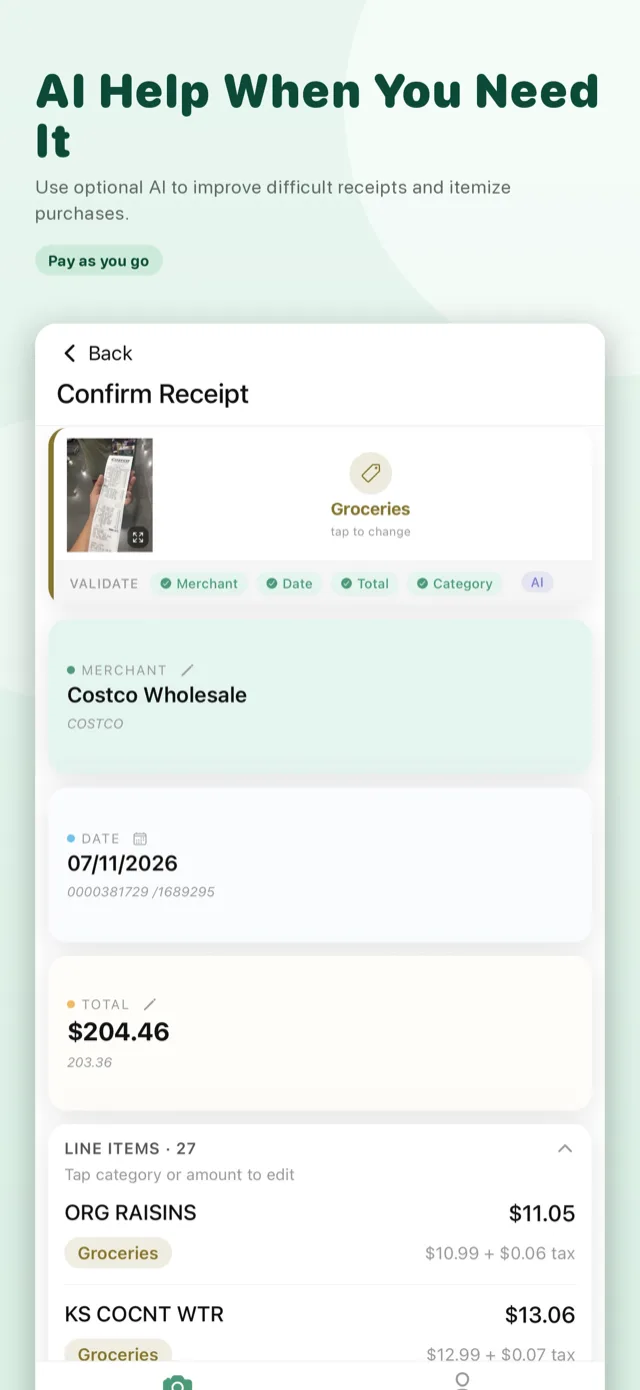
After scanning, optional AI Assist can extract additional information and individual line items.
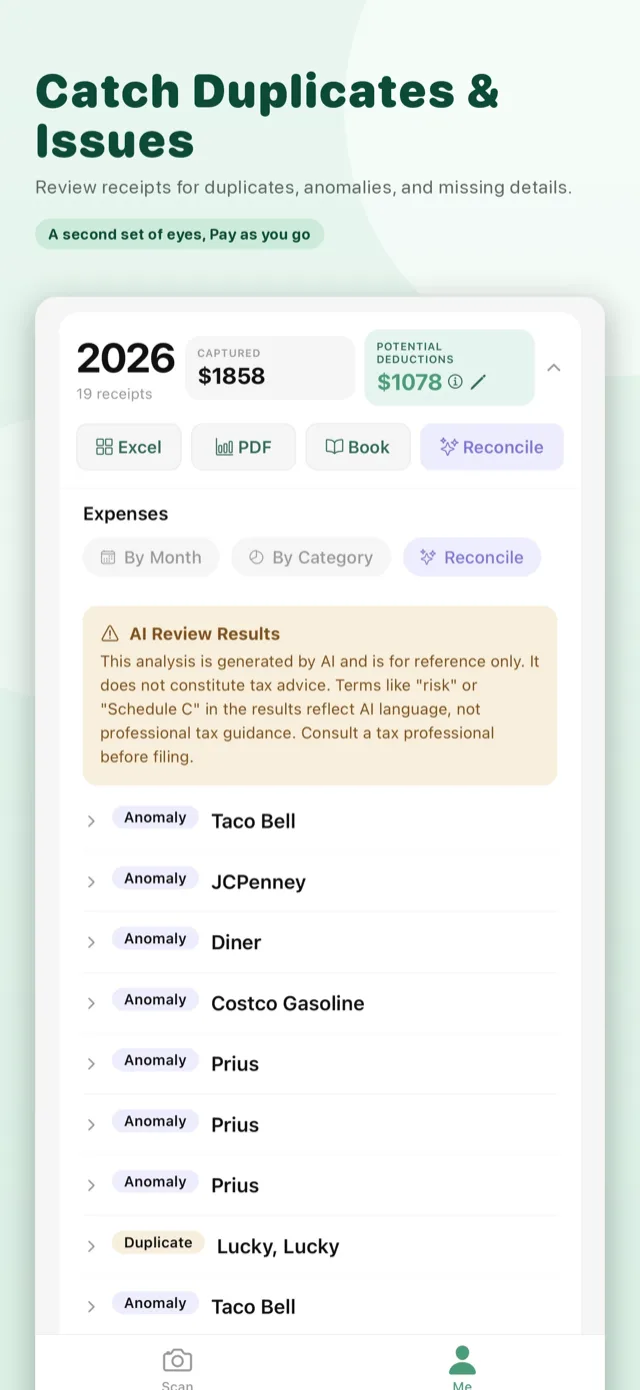
Run an optional AI reconcile to catch duplicate receipts, anomalies, and missing details. Reconcile before you file, so there's less back-and-forth with your CPA.
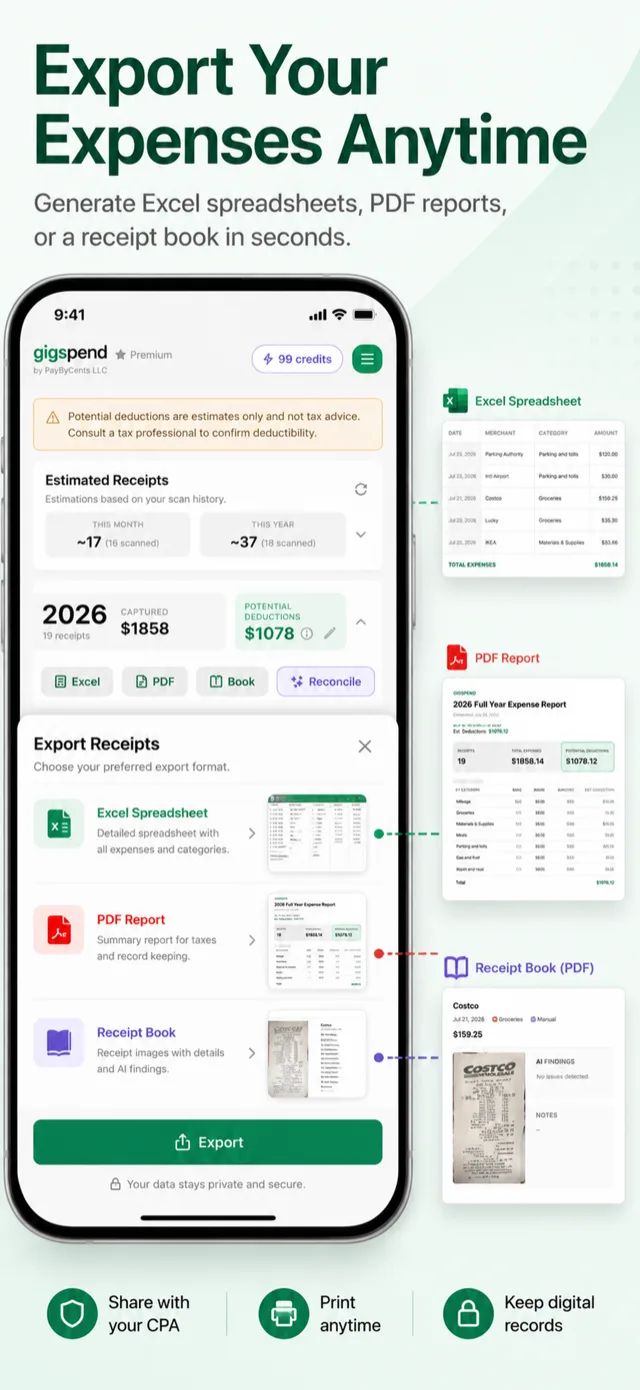
Send an Excel sheet, PDF report, or receipt book straight to your accountant.
Core scanning and tracking do not use AI credits. Try up to 10 receipts and 10 mileage entries free; optional AI is metered separately, one credit at a time.
At Gigspend's discretion, this runs automatically in the background when a scan can't confidently read the merchant, date, total, or category — only the recognized text is sent, never the photo. On by default; opt out anytime in Settings.
After scanning, use optional AI Assist to extract additional information and individual line items.
Review up to 300 receipts, plus your mileage log.
New users receive welcome credits. Additional credits may be earned through eligible referrals and promotions. AI credits are not currently available for purchase.
Try up to 10 receipts and 10 mileage entries, then unlock unlimited receipt and mileage tracking for $4.99 once.
The one-time unlock does not provide unlimited AI usage. Optional AI features use credits earned through eligible welcome offers, referrals, and promotions.
Two quick clips of the app end to end.
Full walkthrough — scan, review, and export.
How to capture mileage manually.
Extracts merchant, date, total, and category automatically from a photo of any receipt.
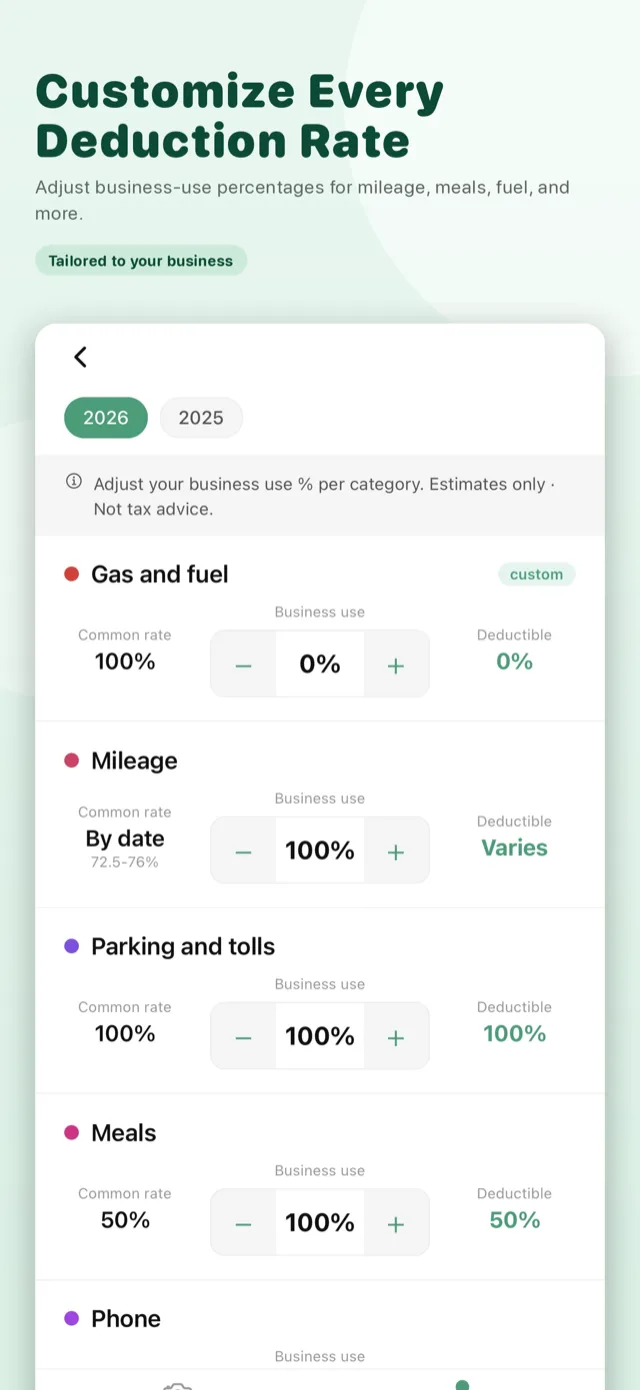
Gig-friendly categories like Gas & Fuel, Mileage, Meals, Phone, and Materials & Supplies.
Monthly and yearly views with category breakdowns and estimated business deductions.
Keep odometer-based running logs for multiple vehicles, with business purposes and optional destinations.
Find receipts and mileage using plain English. Searches stay on your device.
Accountant-ready PDF reports, Excel spreadsheets, and Receipt Books with images.
Improve difficult receipts, extract line items, and flag duplicates — only when you choose.
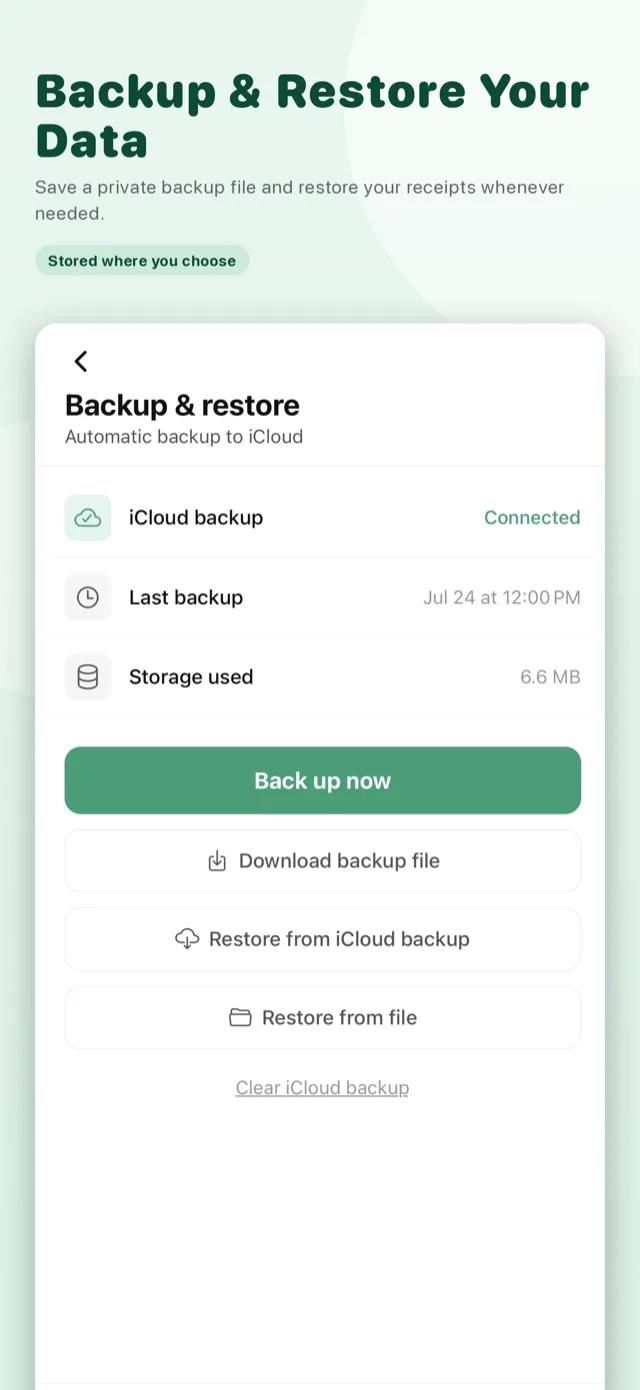
No account. No login. Your receipt photos stay on your device unless you choose to use an AI feature or enable optional backup to your own iCloud or Google Drive. We don't sell your data, and Gigspend has no ad integrations.
Potential deductions and AI results are estimates only and are not tax advice. Consult a qualified tax professional regarding deductible expenses.